Table of Contents
Whether you work from home full-time or just a few days a week, your workspace has a direct impact on your productivity, focus, and physical health. A well-designed home office setup can mean the difference between ending the day energized or exhausted with a sore back and strained eyes. The good news is that building a great home office does not require a corner office budget — it requires smart choices tailored to your specific needs.
In this guide, we will cover every essential element of a productive home office, from the chair you sit in to the lighting above your desk, with recommendations for both budget-conscious and premium setups.
Ergonomics: The Foundation of Productivity
The Chair: Your Most Important Investment
If you spend more than four hours a day at your desk, an ergonomic chair is not a luxury — it is a necessity. A good chair supports your spine's natural curve, promotes proper posture, and reduces fatigue. Key features to look for include adjustable lumbar support, seat depth adjustment, adjustable armrests (height, width, and angle), a recline function with tension control, and breathable mesh or fabric material. On the budget end ($150-300), the Branch Ergonomic Chair and the autonomous ErgoChair Core offer solid adjustability without breaking the bank. If your budget stretches to the premium tier ($500-1000+), the Herman Miller Aeron and Steelcase Leap are industry standards with 12-year warranties and scientifically proven ergonomic benefits.
The Desk: Standing vs. Sitting
A height-adjustable standing desk is the single best upgrade you can make after your chair. Alternating between sitting and standing throughout the day reduces back pain, improves circulation, and keeps your energy levels up. Motorized sit-stand desks have become much more affordable. The Flexispot E7 and Uplift V2 are reliable options with strong motors, dual-stage lifting columns, and programmable height presets. Budget pick: the IKEA Trotten manual sit-stand desk gets the job done for under $250. For those on a very tight budget, a fixed-height desk paired with a monitor riser or laptop stand can still improve your posture significantly.
Screen Setup: Protect Your Eyes and Boost Efficiency
Monitor Configuration
The ideal monitor setup depends on your work type. For most knowledge workers, a single 27-inch 4K monitor strikes the best balance between screen real estate and desk space. For developers, data analysts, or anyone juggling multiple applications simultaneously, dual 24-27 inch QHD monitors significantly reduce time spent alt-tabbing between windows. An ultrawide 34-inch curved monitor offers the cleanest single-cable setup with no bezels breaking your field of vision. Regardless of your choice, mount your monitor so the top of the screen sits at or just below eye level and position it roughly an arm's length away. The built-in stands that come with most monitors place screens too low, so invest in a monitor arm — even an inexpensive one vastly improves ergonomics.
Keyboard and Mouse
Your keyboard and mouse are your primary physical interfaces with your computer. An ergonomic keyboard that promotes a natural wrist angle can prevent repetitive strain injuries that develop over years of typing. The Logitech MX Keys and Apple Magic Keyboard are excellent low-profile options. If you type heavily, consider a mechanical keyboard with tactile switches — the Keychron K series offers great build quality at reasonable prices. For mice, vertical models like the Logitech MX Vertical reduce forearm pronation and can alleviate wrist pain. Trackball users swear by the Logitech MX Ergo for precision without wrist movement.
Lighting and Environment
Natural Light First, Artificial Light Second
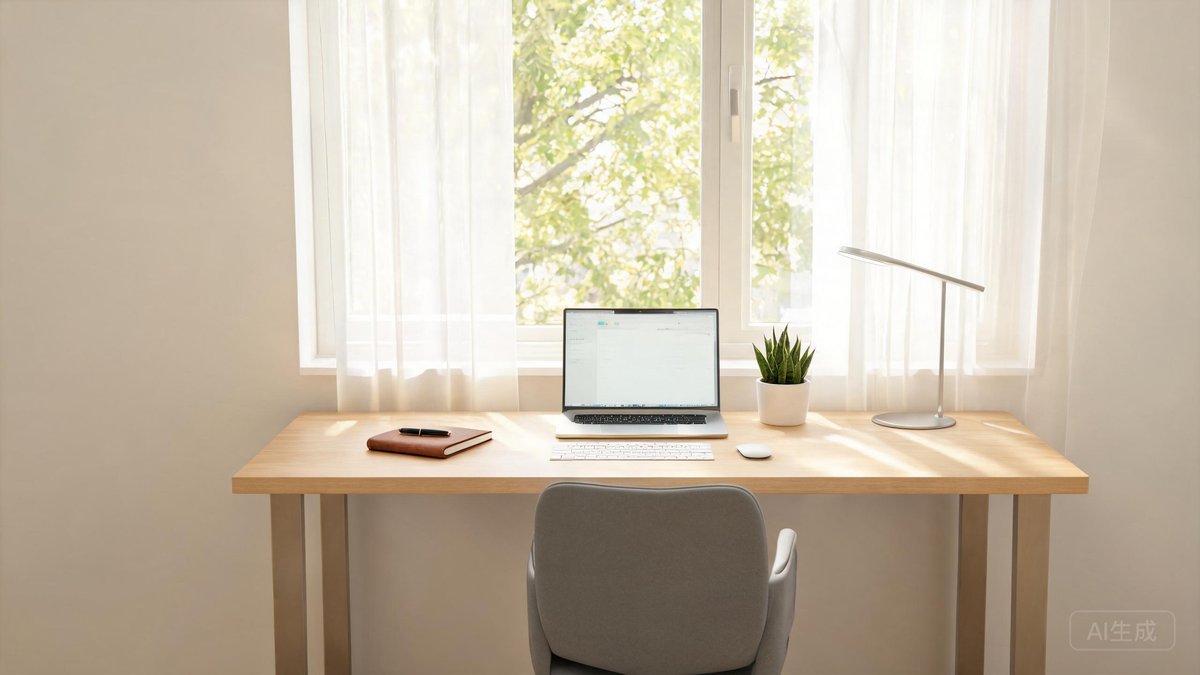
Position your desk perpendicular to a window if possible. Direct sunlight creates glare, but a side position gives you the benefits of natural light without the downsides. Natural light regulates your circadian rhythm and has been shown to improve mood and alertness. For artificial lighting, avoid relying on a single overhead fixture — it creates harsh shadows. Instead, use layered lighting: a desk lamp with adjustable color temperature for focused task lighting, a monitor light bar like the BenQ ScreenBar that illuminates your desk without screen glare, and ambient light through floor lamps or wall sconces to reduce eye strain from high-contrast environments.
Noise Management
Noise is one of the biggest productivity killers in a home environment. Active noise-cancelling headphones like the Sony WH-1000XM5 or the Apple AirPods Pro 3 are excellent for blocking out distractions, but they can become uncomfortable during long sessions. For passive noise management, consider acoustic panels on walls, a thick rug on hard floors, and solid-core doors. A white noise machine or a desk fan can mask intermittent sounds that noise-cancelling headphones cannot fully eliminate.
Budget vs. Premium: Two Complete Setups Compared
The Budget Setup (Approximately $600)
- Chair: Branch Ergonomic Chair ($219)
- Desk: IKEA Trotten manual sit-stand ($249)
- Monitor: 24-inch 1080p IPS monitor ($120)
- Keyboard/Mouse: Basic ergonomic combo ($50)
- Lighting: Adjustable LED desk lamp ($30)
This setup covers every essential ergonomic need. The chair and sit-stand desk are the heroes here — they provide the core posture support that prevents pain and fatigue.
The Premium Setup (Approximately $2,500)
- Chair: Herman Miller Aeron ($1,395)
- Desk: Uplift V2 60-inch ($599)
- Monitor: 27-inch 4K USB-C monitor ($450)
- Keyboard/Mouse: Logitech MX Keys + MX Master 3S ($200)
- Lighting: BenQ ScreenBar Halo ($179)
- Monitor Arm: Fully Jarvis arm ($120)
The premium setup elevates every aspect with higher-quality materials, longer warranties, and features like USB-C docking built into the monitor that reduce cable clutter. The Aeron chair, in particular, is a buy-it-for-life investment backed by decades of ergonomic research.
Pro Tip: Do not try to build your perfect setup in one weekend. Start with the chair and desk — the ergonomic foundation — and add a monitor, lighting, and accessories over time. Your body will tell you what aspect needs attention next.
One often overlooked aspect of home office design is cable management, which directly affects both the appearance and functionality of your workspace. Exposed cables create visual clutter that increases cognitive load and makes it harder to focus, while tangled cords can damage connectors over time and create tripping hazards. Simple solutions like adhesive cable clips, under-desk cable trays, and velcro cable ties cost under $30 and transform a messy setup into a clean, organized workspace. Monitor arms with built-in cable channels keep power and video cables hidden as they run from your computer to your screens, and a small cable box can conceal power strips and excess cable length. Investing twenty minutes in basic cable management at the outset of building your home office pays dividends in daily focus and long-term equipment durability.
Putting These Tips Into Practice
The recommendations here are most effective when implemented consistently. Start with the most impactful changes and build momentum.
Troubleshooting Common Challenges
You may encounter challenges like compatibility problems or difficulty maintaining new habits. Check manufacturer support sites for specific solutions. For habit challenges, identify the specific barrier and address it directly.
Building on This Foundation
Once you have mastered the basics covered in this guide, consider exploring more advanced topics that build on this knowledge. The technology landscape changes rapidly, and staying informed about new developments helps you make better decisions and get more value from your devices. Subscribe to reputable technology news sources, follow industry analysts, and participate in online communities focused on your areas of interest. The time invested in staying current pays dividends in productivity, security, and satisfaction with your technology choices over the long term.
Questions to Ask Before Making a Decision
Before finalizing your approach based on this guide, consider a few key questions. What is your primary goal? Understanding your priority helps you focus on the advice that matters most. What is your budget? Some recommendations may require an initial investment that pays for itself over time. What is your technical comfort level? Be honest about whether you can implement the advice yourself or whether professional help is a better option. Answering these questions before taking action ensures you get the maximum benefit from the information presented here and avoid common mistakes that come from rushing into decisions without proper planning.
Additionally, consider that technology recommendations evolve rapidly, and what is current best practice today may be outdated within a year or two. Bookmark trusted technology review sites and subscribe to newsletters that cover your areas of interest so you stay informed about new developments. Joining online communities focused on specific topics, such as subreddits, Discord servers, or specialized forums, provides access to real-world experiences and advice from enthusiasts and professionals who work with these technologies daily. The collective knowledge of a community often surpasses what any single guide can provide, and participating in these communities allows you to both learn from others and contribute your own experiences as you gain expertise over time.
Taking the time to plan your home office setup carefully before buying anything will save you money and frustration. Start by measuring your available space and identifying any constraints like window glare, outlet locations, or noise sources. Consider your typical work tasks and what equipment you genuinely need versus what would be nice to have. A focused, well-planned workspace tailored to your specific needs will always outperform a room full of impressive equipment that does not quite work together effectively. Prioritize the items that directly affect your comfort and productivity during long work sessions.
Taking the time to plan your home office setup carefully before buying anything will save you money and frustration. Start by measuring your available space and identifying any constraints like window glare, outlet locations, or noise sources. Consider your typical work tasks and what equipment you genuinely need versus what would be nice to have. A focused, well-planned workspace tailored to your specific needs will always outperform a room full of impressive equipment that does not quite work together effectively. Prioritize the items that directly affect your comfort and productivity during long work sessions.