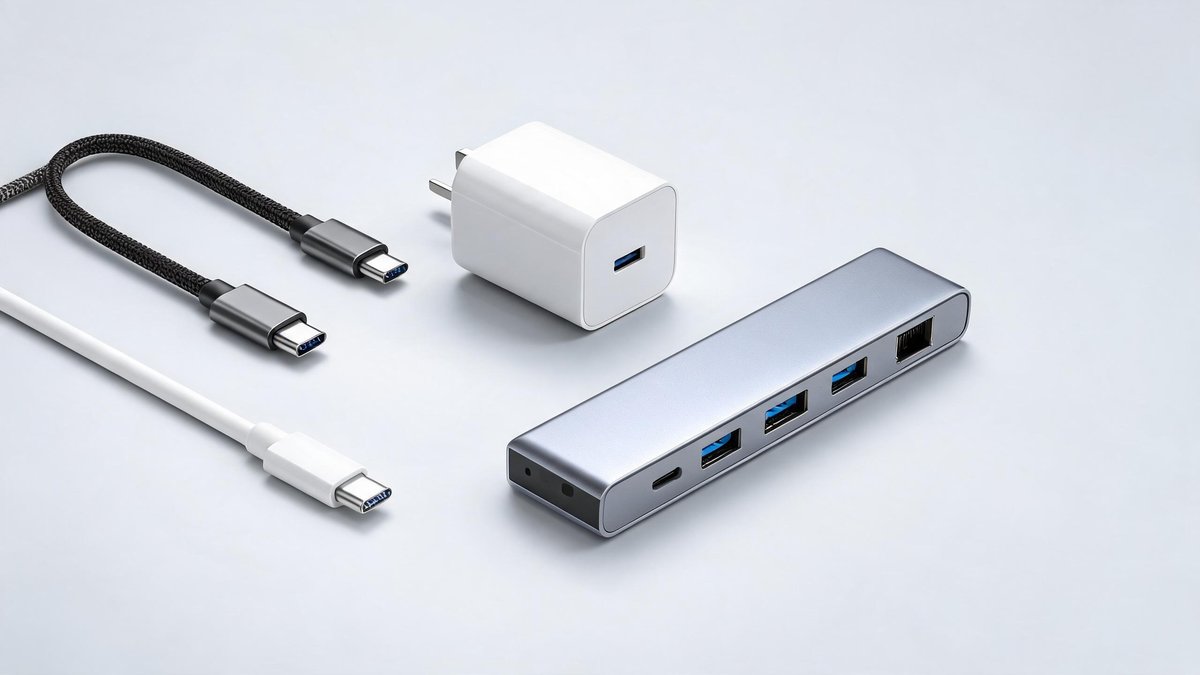
USB-C is supposed to be the one port to rule them all. One cable that charges your laptop, connects your monitor, transfers your photos, and powers your headphones. But walk into any electronics store and you will find a $10 cable sitting next to a $40 cable that looks identical. Plug the wrong one in and your laptop charges at a crawl, or worse, you fry a device with mismatched power delivery. The USB-C standard is genuinely universal now, but the cables and accessories are not. In this guide, you will learn exactly what each USB-C specification means, which cables you can trust, and how to build a setup where every device charges from the same charger without guesswork.
The Labeling Problem: Why Two Identical Cables Can Be Worlds Apart
The USB Implementers Forum spent years making USB-C confusing, then tried to clean it up in 2024 with simplified logos. A cable can support data speeds ranging from a prehistoric 480 Mbps (USB 2.0 over USB-C) all the way to 80 Gbps (USB4 Version 2.0), and power delivery can span from 15W to 240W. The connector shape tells you nothing about what is happening inside the wire.
Look for the official certification labels on packaging: a "USB 40Gbps" badge means the cable supports USB4 at 40 Gbps and at least 60W of power. A "USB 240W" badge means it handles the highest charging tier. No badge at all is a red flag. A 2025 survey by Cable Matters found that 34% of USB-C cables sold on Amazon lacked any speed or power labeling, and half of those failed basic compliance testing. The practical takeaway: buy cables from brands that print the spec on the connector itself (Anker, Cable Matters, Belkin, or Apple), not from brands that use vague words like "fast charge."
Charging: How Many Watts Do You Actually Need?
Most phones charge at 20W to 45W, tablets at 30W to 45W, and laptops at 45W to 100W. A single 65W GaN (gallium nitride) charger can handle all three simultaneously across multiple ports and fits in your palm. GaN chargers use semiconductor material that generates less heat than traditional silicon, allowing manufacturers to pack more power into a smaller brick. In 2025, GaN chargers outsold silicon chargers for the first time, capturing 61% of the market according to Counterpoint Research.
Tech Fact: Quantum computing is still 5-10 years from breaking current encryption, but "harvest now, decrypt later" attacks are already happening. Post-quantum cryptography standards were finalized by NIST in 2024.
For a desk setup, a 100W multi-port GaN charger is the sweet spot: it can fast-charge a laptop while topping up your phone and earbuds at the same time. For travel, a 65W dual-port charger weighs under four ounces and handles a laptop and phone simultaneously. The core claim: you can replace every charger in your house with two GaN bricks and a handful of USB-C cables. The practical takeaway: buy a 65W GaN charger for travel and a 100W GaN desktop charger for your desk. The total investment is under $60, and you will never hunt for the right brick again.
Data Cables: USB 3.2, USB4, and Thunderbolt 4 Demystified
The naming conventions still trip people up, but here is what you need to know. USB 3.2 Gen 2 (10 Gbps) handles external SSDs and 4K monitors at 60Hz without compression. USB4 (40 Gbps) adds dual 4K monitor support at 60Hz or a single 8K display. Thunderbolt 4 is essentially USB4 with mandatory certification, minimum 40 Gbps, and guaranteed compatibility with Thunderbolt 3 docks and eGPUs.
For most people, a USB 3.2 Gen 2 cable at $12 to $15 covers everything: file transfers, single external display, and fast charging. You only need a USB4 or Thunderbolt 4 cable ($25 to $40) if you run dual 4K monitors or transfer terabytes of video daily. The core claim: spending $40 on a Thunderbolt 4 cable to charge your phone is like buying racing tires for a minivan. The practical takeaway: match the cable speed to the fastest device in your setup. If your laptop has Thunderbolt 4 and you use a Thunderbolt dock, buy the $35 cable. Otherwise, a solid USB 3.2 cable does the job.
USB-C Hubs and Docks: What to Buy for Your Desk
A USB-C hub plugs directly into your laptop and gives you back the ports manufacturers removed: HDMI, USB-A, SD card slots, and Ethernet. The key specification is the upstream connection: a hub that uses USB 3.2 Gen 2 (10 Gbps) can run one 4K display at 60Hz while handling Gigabit Ethernet and two USB-A devices. Step up to a Thunderbolt 4 dock at $150 to $300 and you get dual 4K displays at 60Hz, multiple USB-A ports running at full speed, and 90W of power delivery to your laptop through a single cable.
For a minimalist desk setup, a $40 USB-C hub with HDMI, two USB-A ports, and passthrough charging covers 90% of needs. The built-in cable wraps neatly and disappears into a bag. The core claim: most people do not need a $250 docking station. A compact hub does the same job with less desk clutter. The practical takeaway: buy the $40 hub first. If you find yourself swapping cables constantly or want a one-cable solution for dual monitors, upgrade to a full Thunderbolt dock later.
Safety: How to Avoid a Cheap Cable That Destroys Your Device
In 2024, a Google engineer named Benson Leung became famous for testing USB-C cables on Amazon and exposing how many cheap options violated the specification. One cable he tested sent 60W of power over wires rated for 15W, melting the connector inside his Chromebook. The problem has improved, but uncertified cables still flood marketplace listings. A UL or USB-IF certification logo on the box means an independent lab verified the cable does what it claims. No logo means you are gambling.
The core claim: a $10 cable from an unknown brand is the most expensive cable you will ever buy if it destroys a $1,000 laptop. Look for the USB-IF certified logo or buy from brands that publish their compliance test results. Anker, for example, lists its E-marker chip specifications on product pages, and those chips communicate the cable's capabilities to your devices before power ever flows. The practical takeaway: never buy a USB-C cable without checking for certification. The price difference between uncertified and certified is usually $5 to $8, which is the cheapest insurance policy in tech.
Building Your Single-Cable Future
By the end of 2026, the EU's common charger mandate will be fully in effect, and USB-C will be the charging port for phones, tablets, cameras, headphones, portable speakers, e-readers, keyboards, mice, and handheld gaming consoles. Even Apple, after years of resistance, shipped the iPhone with USB-C starting with the iPhone 15 series. The transition is happening, and the cable drawer full of proprietary chargers is becoming obsolete.
Your move is simple: count the devices you charge daily. Buy one 65W GaN charger, one 100W GaN desktop charger, three certified USB-C cables (one short for the desk, one long for the nightstand, one for the bag), and a compact hub with HDMI and USB-A. That entire setup costs under $120 and covers every device you own. The practical takeaway: spend 20 minutes auditing what you plug in every day, replace every proprietary cable with USB-C equivalents, and enjoy a life where you never untangle three different cords from the same bag again.