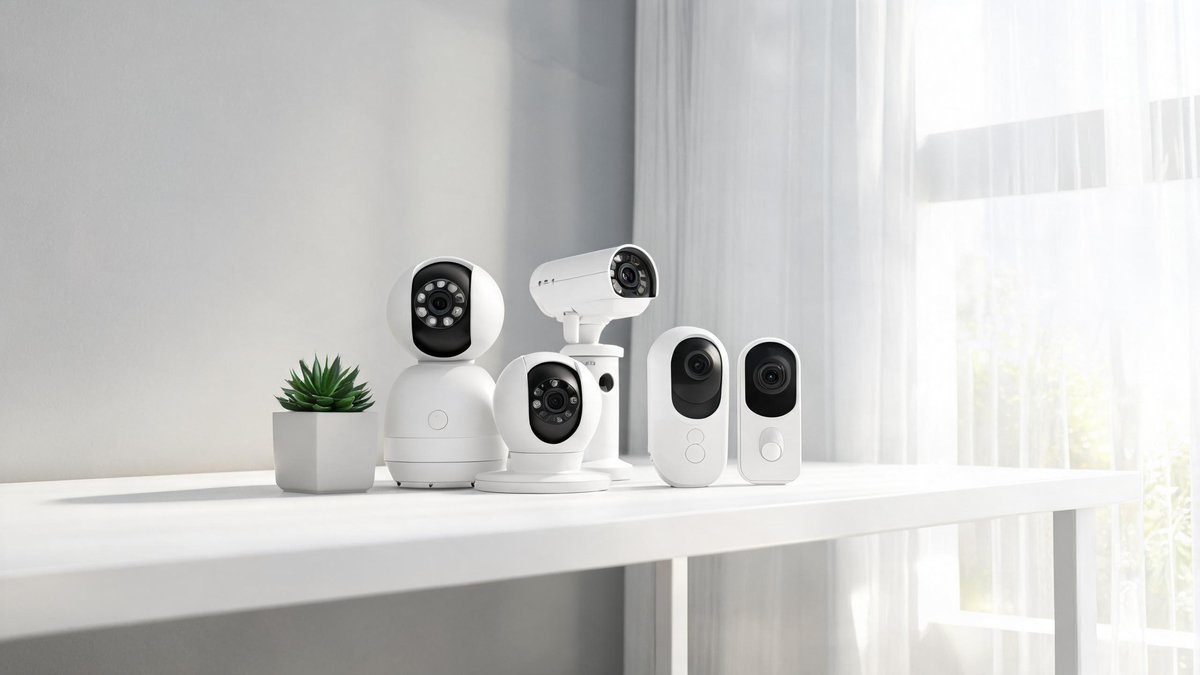
Walk down the security camera aisle or scroll through Amazon and you will face dozens of options that look identical in thumbnail photos but differ wildly in what they can actually do. A $25 indoor camera and a $200 outdoor floodlight camera share the same basic job, watching over your space, but they live in different worlds when it comes to durability, smart detection, and ongoing costs. About 42% of U.S. households now own at least one smart security camera, according to a 2025 Parks Associates report, and the market keeps growing. This guide breaks down every specification that matters, so you buy the right camera for the right spot without paying for features you will never use.
Indoor vs. Outdoor: Why You Cannot Just Repurpose a Cheap Indoor Camera Outside
Indoor cameras cost $25 to $60 and sit on a shelf or stick to a wall with adhesive. They work perfectly in climate-controlled rooms but will die within weeks if you mount one on a porch. Outdoor cameras use weather-sealed housings rated IP65 or IP66, meaning they survive rain, dust, and temperature swings from -4 to 122 degrees Fahrenheit. The core claim: the IP rating is the single most important spec for an outdoor camera, and anything below IP65 is a gamble.
Beyond weather sealing, outdoor cameras need stronger Wi-Fi antennas to punch through exterior walls and reach your router. An indoor camera placed outside will also render unusable at night because its infrared LEDs reflect off the window glass, creating a white glare that washes out the image. The practical takeaway: buy an indoor camera for inside and an outdoor-rated camera for outside. There is no workaround that actually works.
Resolution and Night Vision: What Specs Actually Deliver a Usable Image
1080p is the minimum acceptable resolution for a security camera in 2026. A 2K (1440p) camera costs $10 to $20 more and lets you digitally zoom into a license plate or face without the image turning into a pixelated mess. 4K cameras exist but chew through battery and storage, and most people will not notice the difference on a phone screen. The core claim: 2K is the sweet spot for resolution. It delivers enough detail for identification purposes while keeping file sizes and bandwidth reasonable.
Tech Fact: E-waste is the fastest-growing waste stream globally at 62 million tons per year. Donating or selling old electronics keeps toxic materials out of landfills and recovers valuable rare-earth metals.
Night vision separates good cameras from useless ones. Standard infrared LEDs produce a black-and-white image visible up to 30 feet. Color night vision, found on cameras with starlight sensors or built-in spotlights, captures usable color video in low light without the ghostly IR glow. A 2025 Wirecutter test found that color night vision cameras correctly identified a person's clothing color 87% of the time in near-darkness, compared to 12% for IR-only cameras. The practical takeaway: spend the extra $20 for 2K resolution and color night vision. Those two specs alone determine whether the footage is useful to police.
Wired, Wireless, and Battery: The Power Source That Shapes Everything
Wired cameras connect to an outlet or are hardwired into the home's electrical system. They never need charging and record 24/7 without gaps. The trade-off is installation: you need an outlet within reach or an electrician to run a new line, which costs $150 to $300. Wireless cameras, despite the name, still need power. They plug into an outlet but connect to Wi-Fi for data. Battery-powered cameras offer the easiest installation, you mount them with two screws and walk away, but you trade continuous recording for motion-triggered clips.
Battery life on a quality camera runs two to six months depending on traffic. A camera on a busy front porch will drain faster than one in a quiet backyard. Recharging means climbing a ladder every few months. The core claim: wired cameras win for reliability; battery cameras win for convenience. The practical takeaway: if you can reach an outlet, buy a wired camera. If you cannot, buy a battery camera with a removable battery you can charge indoors, like the Arlo Pro or Eufy SoloCam models, so you never have to take the whole camera down.
Local Storage vs. Cloud Subscriptions: The Hidden Cost That Adds Up
This is where the cheap camera becomes expensive. Most brands, including Ring, Nest, and Arlo, lock motion-triggered recording behind a monthly subscription. Ring Protect costs $3.99 per month per camera, Google Nest Aware starts at $6 per month, and paying $150 per year for a three-camera setup is normal. Over five years, subscriptions can exceed the cost of the cameras themselves.
Local storage cameras from brands like Eufy, Reolink, and TP-Link Tapo save footage directly to a microSD card or a base station inside your home. You buy the hardware once and never pay a subscription. The core claim: a local storage camera with a 128GB microSD card stores roughly two weeks of continuous 2K footage with zero recurring cost. The practical takeaway: calculate the five-year total cost before buying. A $50 camera with a $5 monthly subscription costs $350 over five years. A $100 local storage camera with a $15 SD card costs $115. The math is not close.
Smart Detection: The AI Features That Cut False Alerts
A dumb camera alerts you every time a tree branch moves. A smart camera distinguishes between a person, a vehicle, a pet, and a package. In 2026, on-device AI processing on cameras from Google, Eufy, and Wyze identifies these categories without sending video to the cloud for analysis, preserving privacy and cutting response time to under two seconds. Facial recognition, available on higher-end models like the Nest Cam IQ and EufyCam S3 Pro, tells you that your spouse arrived home rather than signaling a generic motion alert.
The core claim: smart detection is worth paying for because it eliminates alert fatigue. A 2025 survey by Security.org found that 34% of camera owners eventually turned off motion alerts entirely because of too many false alarms. With smart detection, that number drops to 6%. The practical takeaway: prioritize cameras that process AI detection on-device rather than in the cloud. It is faster, more private, and usually included without a subscription.
Privacy: Who Else Is Watching Your Footage?
In 2024, Ring admitted that employees had accessed customer video footage without permission, and Wyze experienced a breach that exposed camera feeds from 13,000 users to strangers. These incidents are not rare. Any camera that uploads footage to the cloud hands control to a company whose security practices you cannot audit. End-to-end encryption, offered by Apple HomeKit Secure Video and select cameras from Eufy and Logitech, ensures only your devices hold the decryption keys.
The core claim: if privacy is a priority, choose cameras with end-to-end encryption and local storage, and never place a camera in a bedroom or bathroom regardless of its security features. The practical takeaway: enable two-factor authentication on your camera account, install firmware updates within 48 hours of release, and delete old footage you do not need. The fewer copies of your video that exist, the fewer places it can leak from.