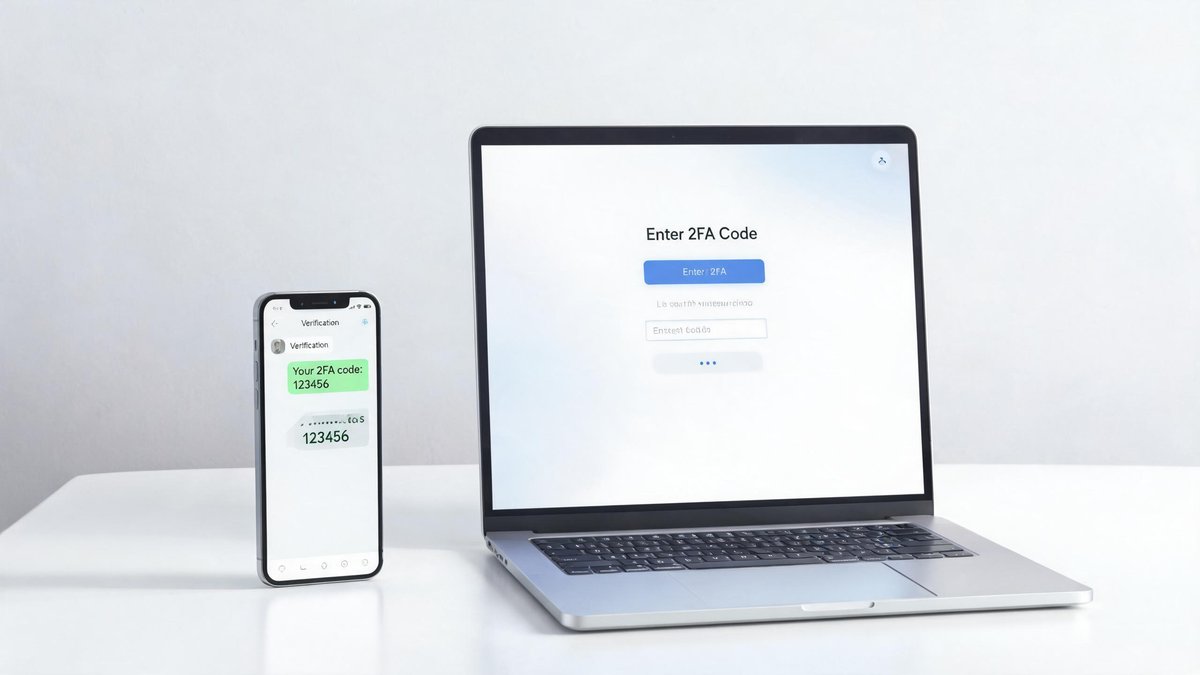
A password alone is not enough. Breaches at major companies dump millions of username and password pairs onto the dark web every year. Google's 2024 security survey found that 66% of Americans reuse passwords across multiple sites. That single leaked Netflix password from 2019 might unlock your email account today. Two-factor authentication (2FA) blocks this by requiring a second piece of evidence beyond your password, usually a temporary code from your phone or a physical key. But not all 2FA is created equal. SMS codes, the kind most people use, are surprisingly easy to intercept. This guide explains the hierarchy of 2FA methods, why you should upgrade from SMS to an authenticator app, and how to set everything up in under an hour.
How 2FA Works and Why It Matters
Authentication relies on three factors: something you know (a password), something you have (a phone or security key), and something you are (a fingerprint or face). Two-factor authentication means logging in requires two of these three. Even if a hacker steals your password, they cannot log in without the second factor. Microsoft's 2024 data showed that enabling 2FA blocks 99.9% of automated account takeover attempts. The number is not an exaggeration; it comes from analyzing billions of login attempts across Microsoft's cloud. The core claim: enabling 2FA on your email, bank, and social media accounts is the single most effective security measure you can take. It is more protective than a strong password alone, more effective than a VPN for account security, and free.
SMS Codes: Better Than Nothing, but Not by Much
SMS-based 2FA texts a six-digit code to your phone number. It is the most common form of 2FA because it is the easiest to set up: you enter your phone number and confirm it once. But SMS has three critical weaknesses. First, SIM swapping: an attacker calls your mobile carrier, impersonates you using publicly available information like your address and birthday, and convinces support to transfer your phone number to their SIM card. All your SMS codes now arrive on their phone. The FBI received 1,611 SIM swapping complaints in 2024 with reported losses of $68 million, and those numbers likely represent a fraction of actual cases.
Tech Fact: Gartner predicts that by 2026, 80% of enterprises will have deployed AI-powered applications. The most practical consumer AI tools today are GPT-based assistants, photo editing, and code completion.
Second, SMS messages travel over the SS7 protocol, a 1970s-era telecom standard with known vulnerabilities that let attackers intercept text messages in transit. Third, SMS codes are visible on your lock screen and can be read by anyone near your phone. The core claim: SMS 2FA is better than no 2FA at all, but it leaves a door open that is wide enough for a motivated attacker to walk through. The practical takeaway: enable SMS 2FA on every account that supports it, but then immediately upgrade to an authenticator app on any account that offers that option.
Authenticator Apps: The Sweet Spot of Security and Convenience
Authenticator apps like Google Authenticator, Authy, Microsoft Authenticator, and 2FAS generate time-based one-time passwords (TOTP) that change every 30 seconds. The code is calculated on your device using a secret seed key shared during setup. No text message travels over the air, and no attacker can intercept the code by compromising a telecom network. Authy adds encrypted cloud backup so you do not lose access when you get a new phone, a feature that Google Authenticator finally added in 2024 after years of user complaints.
The core claim: authenticator apps eliminate the SIM swap and SS7 interception vulnerabilities of SMS while adding only a few extra seconds to the login process. They are free, available on iOS and Android, and supported by most major services including Google, Microsoft, Amazon, Facebook, and every major bank. The practical takeaway: install Authy on your phone and enable cloud backup. Then spend an hour switching every account that supports authenticator apps from SMS to TOTP. The security leap from SMS to authenticator app is larger than the leap from no 2FA to SMS 2FA.
Hardware Security Keys: The Gold Standard
A hardware security key like the YubiKey 5 NFC ($55) or Google Titan Key ($35) is a physical device that plugs into a USB port or taps against your phone via NFC. It uses the FIDO2 and U2F protocols, which are immune to phishing because the key verifies the website you are logging into is the legitimate one before sending a response. If a phishing site tricks you into typing your password, the security key refuses to authenticate because the domain does not match.
The core claim: hardware keys are the strongest form of 2FA available to consumers. Google's internal deployment of security keys to 85,000 employees in 2017 reduced successful phishing attacks to zero, a statistic the company has publicly confirmed held through 2025. The practical takeaway: buy two security keys (one for daily use, one locked in a drawer as backup). Register both with your email account, password manager, and any financial services that support FIDO2. For most people, a $55 YubiKey protects accounts worth far more than the cost of the key.
Passkeys: The Beginning of the End for Passwords
Passkeys represent the next evolution beyond traditional 2FA. Instead of a password plus a second factor, a passkey uses public-key cryptography: your device generates a key pair, stores the private key locally in a secure enclave, and shares the public key with the website. When you log in, the website sends a challenge that only your private key can answer, and you confirm with your fingerprint or face. There is no password to forget, no code to type, and nothing a phishing site can trick you into revealing.
Google, Apple, and Microsoft have all adopted the FIDO passkey standard and now support passkey logins across their ecosystems. In 2025, Google reported that passkey authentication succeeded at a 93% rate on first attempts compared to 67% for passwords, and users logged in 40% faster. The core claim: passkeys are more secure and more convenient than passwords, a rare combination in security. The practical takeaway: enable passkeys on every account that supports them, starting with your Google account. You likely already have the hardware: any modern phone or laptop with a fingerprint sensor or face unlock can generate passkeys.
Setting Up 2FA on Your Most Important Accounts Today
Start with the accounts that would cause the most damage if compromised: email, password manager, bank, and phone carrier. For email, go to your Google or Microsoft account security settings, find "2-Step Verification," and add an authenticator app. Then add a backup security key. For your bank, check if they support authenticator apps; many still only offer SMS, but this is changing as regulations tighten. At minimum, enable whatever 2FA they offer. For your phone carrier, call or visit a store to add a PIN or passcode to your account that must be provided before any SIM changes. This is the single best defense against SIM swapping.
Print or write down the backup codes each service provides during 2FA setup and store them in a fireproof safe or a password-protected note in your password manager. These one-time codes are your escape hatch if your phone is lost, stolen, or destroyed. The practical takeaway: block off one Saturday morning. Secure email, bank, and phone carrier with an authenticator app or security key. Then work through social media, cloud storage, and shopping accounts. By lunch, your digital life will be fundamentally harder to attack.